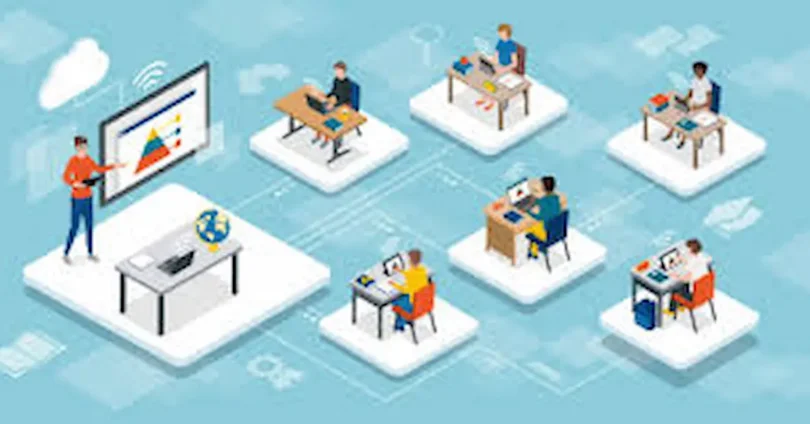

Education has always been the foundation of progress, but the way we learn has changed dramatically in recent years. Thanks to technology, learning is no longer restricted to physical classrooms or specific locations. Today, students and teachers can connect instantly from anywhere in the world. This new approach to education is made possible through virtual classrooms.
A virtual classroom is an online learning environment where teachers deliver lessons, and students participate in real time using digital tools. Through video conferencing, interactive whiteboards, chat systems, and collaborative features, virtual classrooms recreate the experience of traditional learning—but in a more flexible and accessible way.
The importance of virtual classrooms grew rapidly during the global pandemic, but their benefits extend far beyond emergency situations. They provide opportunities for distance learning, lifelong education, and even international collaboration. Whether you are a student looking for convenience, a teacher expanding your reach, or an organization training employees, virtual classrooms are transforming the future of education.
What is a Virtual Classroom?
A virtual classroom is a digital learning environment where teachers and students meet online to share knowledge, discuss ideas, and participate in lessons just like they would in a physical classroom. Instead of sitting at desks, learners join through their computers, tablets, or even smartphones, making education more flexible and accessible to anyone with an internet connection.
Unlike pre-recorded online courses, a virtual classroom is interactive and live. Students can raise their hands (digitally), ask questions, work on group projects, and get immediate feedback from their teacher. This creates a sense of community and keeps the learning process engaging.
Key Elements of a Virtual Classroom:
- Real-Time Interaction – Teachers and students communicate instantly through video, audio, and chat.
- Digital Whiteboards – Instructors can explain concepts visually, making complex topics easier to understand.
- Collaboration Tools – Group discussions, breakout rooms, and shared documents encourage teamwork.
- Learning Resources – Files, presentations, and links can be shared quickly during the class.
- Recording Options – Students can revisit lessons anytime for revision or self-paced learning.
How It Works
Teachers schedule an online session through platforms like Zoom, Microsoft Teams, Google Meet, or Moodle. Students receive a link or login code and join the class at the scheduled time. Once inside the virtual classroom, they can see the teacher, listen to explanations, take part in activities, and even submit assignments—all in one place.
Why It Matters
The virtual classroom bridges the gap between traditional education and modern technology. It not only makes learning more accessible but also helps students gain digital skills that are essential in today’s world. Whether for schools, universities, or workplace training, virtual classrooms are shaping the future of education.
Benefits of Virtual Classrooms

Virtual classrooms are more than just an alternative to traditional education—they come with a wide range of benefits that make learning easier, more flexible, and more engaging for both students and teachers.
1. Accessibility from Anywhere
- One of the biggest advantages is that students can join from any location. Whether you live in a busy city or a remote village, all you need is an internet connection to attend classes. This makes education more inclusive and opens doors for learners worldwide.
2. Flexibility and Convenience
- Virtual classrooms allow students to learn at their own pace. Many sessions are recorded, so if you miss a class or need to revise a topic, you can watch it later. This flexibility is especially helpful for working professionals or students with busy schedules.
3. Cost-Effective Learning
- Studying online reduces expenses like travel, accommodation, and even printed study materials. Both students and institutions save money while still getting access to high-quality education.
4. Interactive and Engaging
- Modern virtual classrooms include features like quizzes, polls, breakout rooms, and live chat, which keep students actively involved. These tools make learning more fun and engaging compared to passive lecture-style teaching.
5. Safe and Convenient
- Especially during situations like the global pandemic, virtual classrooms ensured that education never stopped. Students can learn from the safety and comfort of their homes without risking health or losing valuable study time.
6. Personalized Learning
- With digital tools, teachers can track student progress, identify weak areas, and provide tailored support. Students also have the freedom to revisit recorded sessions and study at a pace that suits them best.
7. Global Learning Opportunities
- Virtual classrooms connect learners and teachers from different countries and cultures. This exposure to global perspectives helps students gain broader knowledge and prepares them for international opportunities.
Key Features of Virtual Classrooms
Virtual classrooms are designed to replicate and even enhance the traditional classroom experience using digital tools. Their effectiveness comes from a combination of interactive features that keep students engaged and make learning flexible. Here’s a closer look at the main features:
Live Video and Audio Sessions
Live video and audio sessions allow students and teachers to interact in real time. Unlike pre-recorded lessons, live sessions create a sense of presence and connection. Teachers can explain topics, answer questions instantly, and even notice non-verbal cues like confusion or engagement. Platforms like Zoom, Google Meet, and Microsoft Teams make this feature seamless.
Example: A language teacher can conduct a live speaking session where students practice pronunciation while receiving immediate feedback.
Digital Whiteboards
Digital whiteboards are interactive boards where teachers can write, draw, and illustrate concepts. Students can also contribute, annotate, or solve problems in real time. This feature is invaluable for subjects that require visual explanations, such as mathematics, science, or art.
Example: In a virtual physics class, the teacher can illustrate diagrams, equations, and graphs while students follow along and add their solutions.
Chat and Instant Messaging
The chat feature allows instant text communication during classes. Students can ask questions without interrupting the lecture, participate in discussions, or share resources. Teachers can also post links, notes, and instructions in real time.
Example: A student struggling with a concept can privately message the teacher, while group discussions in chat keep everyone engaged.
Screen Sharing
Screen sharing lets teachers display presentations, documents, websites, or software directly to students’ screens. This is ideal for demonstrations, tutorials, or collaborative work, ensuring that everyone is literally “on the same page.”
Example: A coding instructor can demonstrate programming steps live, and students can follow along on their own devices.
Breakout Rooms for Group Work
Breakout rooms are smaller virtual spaces where students can work in teams or pairs. This fosters collaboration, problem-solving, and teamwork—skills that are essential in both academic and professional settings.
Example: During a marketing class, students are split into breakout rooms to develop ad campaigns and then present their ideas to the main class.
Quizzes, Polls, and Interactive Tools
Virtual classrooms often include interactive assessments like quizzes, polls, and live exercises. These tools keep students engaged, allow teachers to check understanding instantly, and make learning fun and dynamic.
Example: A history teacher can conduct a quick poll on historical events to gauge understanding before moving to the next topic.
Recording and Playback
Most platforms allow sessions to be recorded. This ensures flexibility for students who may miss a class or want to review material for better understanding. Recording also allows teachers to improve their teaching methods based on playback analysis.
Example: A student who missed a math lecture can watch the recording and pause or rewind difficult sections at their own pace.
File Sharing and Resource Access
Teachers can share PDFs, presentations, videos, and other resources directly within the platform. Students can download, view, or annotate materials without needing separate tools.
Example: In a biology class, the teacher shares labeled diagrams of the human anatomy, which students can study and annotate digitally.
Attendance and Performance Tracking
Virtual classrooms come with tools to monitor attendance, participation, and performance metrics. Teachers can see which students are engaged, who needs help, and how class progress is unfolding.
Example: A teacher notices that a student consistently skips polls and assignments, then offers extra support to help them catch up.
Integration with Learning Management Systems (LMS)
Many virtual classrooms can integrate with LMS and educational apps, creating a seamless environment for assignments, grades, and feedback. This makes administration easier and keeps students organized.
Example: A teacher posts homework in the LMS, hosts a live discussion in the virtual classroom, and tracks student progress—all in one integrated system.
Gamification and Engagement Tools
Some platforms offer gamified features such as badges, leaderboards, and point systems to motivate students. Gamification makes learning fun, encourages participation, and boosts retention.
Example: Students earn points for answering questions during a session, creating healthy competition and motivation.
Accessibility Features
Virtual classrooms often include closed captions, screen readers, and translation tools, making education more inclusive for students with disabilities or language barriers.
Example: A student with hearing difficulties can follow lessons with live captions or subtitles, ensuring they do not miss important information.
Challenges of Virtual Classrooms

While virtual classrooms offer many benefits, they also come with certain challenges that both students and teachers need to be aware of. Understanding these challenges can help create strategies to overcome them and make online learning more effective.
Internet Connectivity Issues
A stable internet connection is essential for virtual classrooms. Poor connectivity can cause lag, frozen video, or audio interruptions, making it difficult for students to follow lessons.
Example: A student in a rural area might miss parts of a live lecture due to unstable internet, leading to gaps in understanding.
Tip: Teachers can record sessions so students with connectivity issues can watch later, and schools can recommend low-bandwidth options.
Reduced Face-to-Face Interaction
Virtual classrooms lack physical presence, which can affect social interaction and personal connection. Students may feel isolated or less motivated without in-person engagement.
Example: Group activities may not feel as engaging online, and shy students might participate even less.
Tip: Use breakout rooms, live discussions, and interactive tools to encourage collaboration and social interaction.
Screen Fatigue
Spending long hours on computers or tablets can lead to eye strain, headaches, and general fatigue, reducing focus and productivity.
Example: Students attending multiple back-to-back online classes may feel tired and lose concentration.
Tip: Encourage regular breaks, use shorter sessions, and adopt the “20-20-20 rule” (look at something 20 feet away every 20 minutes for 20 seconds).
Need for Self-Discipline and Time Management
Online learning requires students to be self-motivated and manage their time effectively. Without supervision, some students may procrastinate or struggle to keep up with lessons.
Example: A student may delay assignments or miss sessions if they don’t follow a structured schedule.
Tip: Create daily routines, set reminders, and use planners or apps to stay organized.
Technical Challenges for Teachers
Not all teachers are familiar with online teaching tools. Managing video, audio, screen sharing, and interactive features simultaneously can be challenging.
Example: A teacher might struggle to troubleshoot technical issues during a live session, affecting class flow.
Tip: Provide training for teachers on digital platforms and keep technical support accessible during classes.
Limited Hands-On Learning
Some subjects, like science labs or arts, require practical, hands-on experience, which can be hard to replicate online.
Example: A chemistry experiment or art project may be difficult to conduct virtually without proper resources.
Tip: Use virtual labs, simulations, or project-based assignments that students can do at home to supplement learning.
Distractions at Home
Learning from home can introduce distractions such as family members, mobile phones, or household chores, making it harder for students to focus.
Example: A student may check social media during a lecture or be interrupted by household noise.
Tip: Encourage creating a dedicated study space and using productivity tools to minimize distractions.
you may also like to read these posts;
Time Management for Students: Tips for Success
Mind Mapping: Boost Creativity and Improve Memory
Active Recall: Boost Memory and Learn Faster
Pomodoro Technique: Boost Focus and Productivity
Top Note-Taking Strategies to Learn Faster and Remember More
Tips for Effective Virtual Learning
Virtual classrooms offer flexibility and convenience, but they also require students to take responsibility for their learning. Here are some practical tips to make the most out of online education:
Create a Dedicated Study Space
Set up a quiet, comfortable, and distraction-free area for learning. Having a consistent study space helps your mind focus and creates a clear boundary between study time and leisure.
Tip: Keep all your study materials, chargers, and notebooks in this area to avoid interruptions.
Maintain a Routine and Schedule
Consistency is key in virtual learning. Set specific times for attending classes, studying, taking breaks, and completing assignments. A routine helps develop discipline and ensures that no tasks are overlooked.
Tip: Use digital calendars or reminder apps to keep track of deadlines and sessions.
Stay Organized
Keep your notes, assignments, and digital resources well-organized. Label files clearly and use folders for each subject. This saves time and reduces stress when looking for study materials.
Tip: Use cloud storage platforms like Google Drive or OneDrive to access files anytime, anywhere.
Actively Participate
Virtual learning is most effective when you engage actively. Ask questions, join discussions, and participate in polls or quizzes. Interaction helps reinforce learning and prevents passive listening.
Tip: Turn on your camera and microphone during sessions when possible, to stay connected with teachers and classmates.
Take Regular Breaks
Sitting in front of a screen for hours can cause fatigue and reduce focus. Use the Pomodoro technique or similar methods—study for 25–50 minutes, then take a 5–10 minute break.
Tip: Stand up, stretch, or take a short walk during breaks to refresh your mind and body.
Minimize Distractions
During online classes, limit distractions like mobile phones, social media, or unnecessary notifications. This ensures you stay focused and retain more information.
Tip: Consider using apps like Focus Mode or website blockers during study time.
Use Interactive Tools
Take advantage of virtual classroom features such as whiteboards, breakout rooms, polls, and shared documents. These tools make learning more engaging and help you collaborate with peers effectively.
Tip: Experiment with tools like Jamboard, Kahoot, or Padlet to enhance your learning experience.
Review and Revise
Always revisit recorded sessions, notes, and assignments. Reviewing material regularly strengthens understanding and helps retain knowledge long-term.
Tip: Create short summary notes after each lesson for quick revision later.
Stay Connected
Keep communication lines open with your teachers and classmates. Ask for help when needed and participate in group activities to stay socially engaged, even online.
Tip: Join online discussion forums or class chat groups to exchange ideas and resources.
Take Care of Your Health
Good mental and physical health improves learning. Ensure you get enough sleep, eat well, stay hydrated, and do light exercises to maintain focus and energy during online classes.
Future of Virtual Classrooms
The landscape of education is rapidly evolving, and virtual classrooms are at the heart of this transformation. With advancements in technology, learning is becoming more interactive, flexible, and personalized. Here’s what the future holds:
Integration of Artificial Intelligence (AI)
AI will play a major role in personalizing learning experiences. Virtual classrooms could adapt content to each student’s learning pace, provide instant feedback, and even predict areas where learners might struggle.
Immersive Learning through AR and VR
Augmented Reality (AR) and Virtual Reality (VR) will make learning more engaging. Students could explore historical events in 3D, perform virtual science experiments, or practice skills in realistic simulations without leaving their homes.
Global Collaboration
Virtual classrooms will make it easier for students from different countries to collaborate on projects, attend international webinars, and gain diverse perspectives without geographical barriers.
Flexible and Lifelong Learning
Learning won’t be confined to a fixed schedule. On-demand virtual classes will allow learners of all ages to study at their own pace, supporting continuous education and upskilling throughout life.
Enhanced Analytics and Insights
Educators will have access to detailed learning analytics, helping them understand student progress, engagement levels, and overall performance. This data-driven approach will improve teaching strategies and outcomes.
Gamification and Interactive Content
Games, quizzes, and interactive exercises will make online learning more motivating and fun. Gamified learning helps increase retention, participation, and problem-solving skills.
Hybrid Learning Models
The future will likely see a blend of in-person and virtual classrooms. Hybrid models provide flexibility while maintaining the benefits of traditional social interaction and hands-on learning.
Accessibility and Inclusivity
Virtual classrooms will continue to break down barriers for students with disabilities or those in remote areas, ensuring education is more inclusive and equitable globally.
What is a virtual classroom?
A virtual classroom is an online platform where students and teachers interact in real-time through video, chat, and digital tools instead of a traditional classroom.
How do virtual classrooms work?
They use internet-based platforms that allow live lectures, discussions, assignments, and assessments. Tools like Zoom, Google Classroom, and Microsoft Teams are commonly used.
What are the benefits of virtual classrooms?
Flexible learning from anywhere
Access to a wide range of courses
Personalized learning experiences
Collaboration with students worldwide
Are virtual classrooms effective for learning?
Yes, especially when combined with interactive tools, gamification, and AI-based personalization, which improve engagement and knowledge retention.
Can virtual classrooms replace traditional classrooms?
They complement traditional learning. While some subjects work well online, hands-on practical subjects may still need physical classrooms or VR simulations.
Conclusion
The future of virtual classrooms is shaping the way we learn, making education more flexible, interactive, and accessible. With technologies like AI, VR/AR, and global connectivity, students can enjoy personalized learning experiences and collaborate beyond geographical boundaries. Hybrid learning models, gamification, and data-driven insights will continue to enhance engagement and effectiveness. Ultimately, virtual classrooms are not just an alternative—they are transforming education into a lifelong, inclusive, and innovative journey for learners everywhere.


