Introduction
In today’s highly competitive job market, a well-crafted resume is more important than ever. With recruiters often spending just a few seconds scanning each application, your resume needs to make an immediate impact.
First impressions matter—and for many employers, your resume is the first (and sometimes only) impression they’ll get. A strong resume can open doors to interviews and job opportunities, while a weak or poorly structured one can quickly close them.
The purpose of this blog is to help you create a professional, results-driven resume that not only reflects your qualifications but also sets you apart from the competition. Whether you’re starting from scratch or looking to polish your existing resume, we’ll walk you through the essential elements that make a resume stand out to hiring managers.
Understanding the Purpose of a Resume

Many job seekers treat their resume as a simple timeline of past jobs—but it’s much more than that. At its core, your resume is a strategic marketing tool, designed to sell your skills, experience, and potential to prospective employers.
Rather than listing everything you’ve ever done, a strong resume highlights what’s relevant to the job you’re targeting. It should communicate why you’re the right fit, showcasing the value you bring to a company through measurable results, transferable skills, and tailored experience.
Your Resume Should Work For You
Think of your resume as your personal brand statement. It should be clear, concise, and customized to align with the needs of each specific role. A generic, one-size-fits-all resume often fails to capture the attention of hiring managers.
Enter the ATS: Why Optimization Matters
Before a human ever sees your resume, it often has to get past an Applicant Tracking System (ATS)—software used by companies to filter and rank applications. If your resume isn’t optimized with relevant keywords and clear formatting, it might never make it to a real person, no matter how qualified you are.
To stand out, your resume needs to be both human-friendly and machine-readable. This means using job-specific terminology, avoiding overly complex formatting, and clearly presenting your qualifications in a way that matches the job description.
Understanding the Purpose of a Resume
1. Your Resume Is a Marketing Tool — Not Just a Work History
- It’s not just about listing where you’ve worked.
- Think of it as an advertisement for your skills and potential.
- Focus on selling your strengths, not just stating facts.
2. Showcasing Value Over Responsibilities
- Employers care more about what you achieved than what you were assigned.
- Highlight results, accomplishments, and impact in each role.
- Use numbers and data where possible (e.g., “Increased sales by 25% in Q1”).
3. Tailor for Relevance to the Job You’re Applying For
- Customize your resume for each role or industry.
- Emphasize skills and experience that align with the specific job description.
- Remove or minimize unrelated information that may dilute your message.
4. Think Strategically, Not Historically
- A resume isn’t a life story—it’s a curated snapshot.
- Focus on the last 10–15 years of your career unless earlier experience is highly relevant.
- Avoid unnecessary personal details or outdated skills.
5. ATS (Applicant Tracking Systems): Why They Matter
- Many companies use ATS to screen resumes before a human sees them.
- If your resume lacks relevant keywords, it may never get read.
- Use simple formatting (no tables, text boxes, or images) to avoid parsing errors.
6. Optimizing for ATS and Human Readers
- Use language from the job posting (but avoid keyword stuffing).
- Stick to standard section headings: Work Experience, Skills, Education, etc.
- Keep your resume format clean and professional: bullet points, clear headings, and logical structure.
Choosing the Right Resume Format
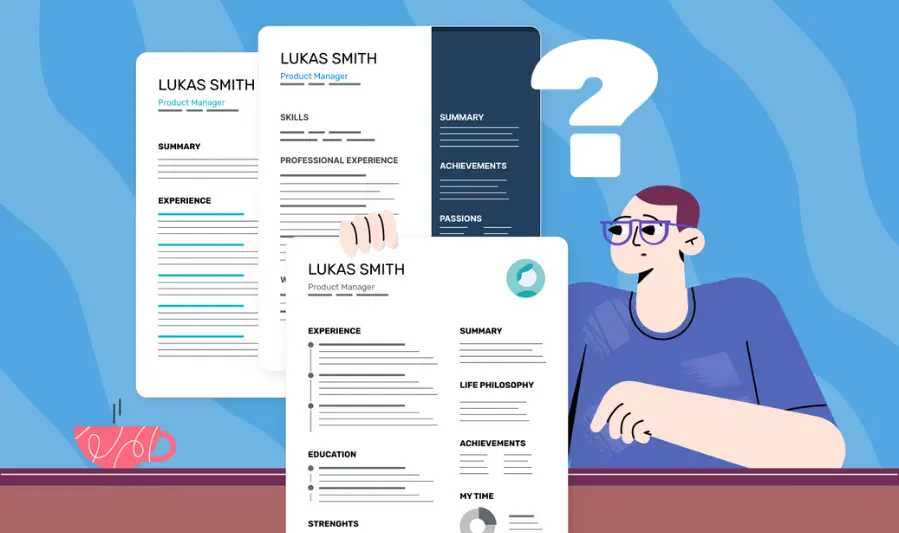
The format of your resume plays a crucial role in how your information is presented and perceived. Choosing the right one can help highlight your strengths and downplay any potential red flags such as career gaps or industry changes.
Here’s an overview of the three most commonly used resume formats an
d when to use them:
1. Chronological Resume
Best for: Candidates with a steady, linear career path in the same industry or role.
Key Features:
- Lists your work history in reverse chronological order (most recent job first).
- Emphasizes job titles, employers, and dates of employment.
- Ideal for showcasing career growth and progression.
Pros:
- Familiar and preferred by most recruiters and ATS systems.
- Easy to read and follow.
Cons:
- Makes employment gaps or frequent job changes more obvious.
- Not ideal for career changers or those with limited experience.
2. Functional Resume
Best for: Career changers, freelancers, or those with significant gaps in employment.
Key Features:
- Focuses on skills and qualifications rather than job history.
- Work experience is listed with minimal detail, often at the bottom.
- Organizes content by skill categories (e.g., Project Management, Customer Service, Technical Skills).
Pros:
- Allows you to highlight transferable skills and achievements.
- Downplays gaps or unrelated experience.
Cons:
- Less familiar to hiring managers and ATS-friendly systems.
- May raise questions about employment history due to minimal detail.
3. Combination Resume (Hybrid)
Best for: Candidates with both solid work history and a strong set of transferable skills.
Key Features:
- Blends elements of both chronological and functional formats.
- Opens with a summary of skills and achievements, followed by detailed work history.
- Offers flexibility to tailor resume based on job requirements.
Pros:
- Allows you to showcase skills up front while still providing employment context.
- Effective for professionals changing roles within the same industry.
Cons:
How to Choose the Right Format for You
| Situation | Recommended Format |
|---|---|
| Consistent experience in one field | Chronological |
| Changing industries or roles | Functional |
| Mix of skills and solid work history | Combination (Hybrid) |
| Freelance or contract-based career path | Functional or Combination |
| Re-entering the workforce after a gap | Functional or Combination |
IV. Resume Structure and Key Sections
A well-structured resume ensures your most important information is easy to find and read. Recruiters often scan resumes in under 10 seconds, so organizing your content into clearly defined sections is essential.
Here’s a breakdown of the key sections every professional resume should include, along with optional ones that can help you stand out.
1. Contact Information
Always place this section at the top of your resume.
What to Include:
- Full Name
- Phone Number
- Professional Email Address
- LinkedIn Profile (customized URL preferred)
- Optional: Portfolio or personal website (especially for creative or tech roles)
Tips:
- Avoid using nicknames or unprofessional email addresses.
- No need to include your full home address—city and state are sufficient.
2. Professional Summary or Objective
This is your elevator pitch—2 to 3 impactful sentences summarizing your qualifications and goals.
Use a Summary If:
- You have work experience and want to highlight your key achievements.
- You’re applying to a role that aligns with your current career path.
Use an Objective If:
- You’re new to the workforce, changing careers, or targeting a specific role.
Example (Professional Summary):
Results-driven digital marketer with 5+ years of experience increasing brand awareness and ROI through data-driven campaigns. Proven success in managing cross-functional teams and improving lead conversion rates by 30%.
3. Skills Section
This section should be tailored to each job and include a mix of hard and soft skills.
What to Include:
- Hard Skills: e.g., Excel, Python, SEO, Project Management, Salesforce
- Soft Skills: e.g., Communication, Leadership, Problem Solving
- Technical/Industry-specific terms that match the job description
Tips:
- Include 6–12 skills in bullet or column format.
- Pull keywords directly from the job posting for better ATS alignment.
4. Work Experience
List your work history in reverse chronological order—most recent job first.
What to Include for Each Role:
- Job Title
- Company Name and Location
- Dates of Employment (Month/Year – Month/Year)
- 3–6 bullet points with accomplishments and responsibilities
Bullet Point Tips:
- Start each point with a strong action verb (e.g., led, managed, developed).
- Quantify results wherever possible (e.g., “Increased sales by 20%”).
- Focus on achievements, not just tasks.
5. Education
List your most recent or relevant degree first.
What to Include:
- Degree Type and Major (e.g., B.A. in Marketing)
- University Name and Location
- Graduation Date (or expected date)
- Optional: GPA, relevant coursework, honors
6. Certifications, Awards, and Projects
This is an optional but powerful section—especially for those in technical, creative, or highly specialized fields.
What to Include:
- Industry Certifications (e.g., PMP, Google Ads, AWS Certified)
- Professional Awards (e.g., “Top Performer of the Year”)
- Personal or Professional Projects (e.g., app development, marketing campaigns)
7. Additional Sections (If Relevant)
Add these only if they strengthen your application or are relevant to the job.
Examples:
- Volunteer Work: Especially if it shows leadership or industry involvement.
- Languages: Useful for global or customer-facing roles.
- Publications: Academic or industry-specific writing.
- Technical Proficiencies: Tools, software, or programming languages.
Writing Tips for a High-Impact Resume
Your resume is often your only shot at making a great first impression—so every word counts. Strong writing can elevate your resume from average to attention-grabbing. Here are key tips to ensure your resume delivers impact and clarity.
1. Use Strong Action Verbs
Start each bullet point with a verb that shows initiative and results. Avoid weak, passive phrasing like “Responsible for.”
Examples of strong action verbs:
- Led
- Developed
- Increased
- Streamlined
- Designed
- Implemented
- Spearheaded
- Resolved
Instead of:
Responsible for managing social media accounts
Try:
Managed and grew social media presence by 40% in six months
2. Focus on Achievements, Not Just Duties
Don’t just say what you did—show what you accomplished. Use metrics and outcomes to prove your impact.
Transform this:
Handled customer service inquiries
Into this:
Resolved 30+ customer inquiries daily with a 95% satisfaction rate
Use numbers wherever possible:
- Increased revenue by 15%
- Cut costs by $10,000
- Trained a team of 12 new hires
3. Keep It Concise and Relevant
- Aim for a one-page resume (two pages max if you have extensive experience).
- Avoid unnecessary details like outdated jobs or irrelevant hobbies.
- Be selective—include only experience and skills that relate directly to the job you’re applying for.
Pro Tip: Use short, punchy bullet points—ideally one to two lines each.
4. Avoid Buzzwords and Jargon (Unless Industry-Specific)
While keywords are important for ATS, overloading your resume with corporate clichés can dilute your message.
Skip these vague buzzwords:
- Go-getter
- Synergy
- Results-oriented (unless followed by specific results)
Instead, use clear, direct language that aligns with your role and industry.
5. Customize Your Resume for Every Job Application
A generic resume is easy to spot—and easy to ignore.
- Tailor your professional summary, skills, and bullet points to match the job description.
- Use the same language as the job posting to improve ATS compatibility.
- Highlight the experience and accomplishments that matter most to that specific employer.
Design and Readability
A great resume isn’t just about what you say—it’s also about how it looks. A clean, well-designed layout ensures your resume is easy to read, ATS-friendly, and visually appealing to hiring managers. Good design supports your content; it shouldn’t distract from it.
Here’s how to design a resume that looks professional and reads smoothly:
1. Use a Clean, Professional Layout
- Stick to a simple, structured format with clear section headings.
- Keep margins between 0.5–1 inch on all sides.
- Avoid cramming too much information—embrace white space for easier reading.
- Align all text consistently (e.g., left-aligned body text, bold section titles).
2. Choose Readable, Standard Fonts
Fonts play a big role in readability and professionalism. Stick to safe, widely accepted options:
Recommended Fonts:
- Calibri
- Arial
- Times New Roman
- Helvetica
- Georgia
Font Size Tips:
- 10–12 pt for body text
- 12–14 pt for section headings
- 16–18 pt for your name at the top
3. Use Bullet Points, Bold Headers, and Consistent Spacing
- Break long paragraphs into bullet points to improve scannability.
- Use bold or slightly larger fonts for section headings (e.g., Work Experience, Skills).
- Maintain consistent line spacing and formatting across all sections.
- Limit your resume to 1–2 pages, depending on experience.
4. Avoid Graphics and Excessive Colors (Unless Industry-Appropriate)
While creative industries (like design or marketing) may allow for more visual flair, most recruiters prefer simple, text-based resumes.
Avoid:
- Profile pictures
- Decorative fonts or clipart
- Complex columns or tables
- Bright or multiple colors
Stick to:
- Black text on a white background
- One accent color (optional and subtle—like navy or dark gray)
- PDF format when submitting, to preserve layout
Final Tip:
Less is more. A clean, easy-to-read resume with clear formatting will always outperform a flashy but cluttered design. Keep it professional, organized, and easy to skim.
VIII. Common Mistakes to Avoid
Even a strong resume can fall flat if it includes avoidable errors or outdated practices. Here are some of the most common mistakes job seekers make—and how to avoid them.
1. Typos and Grammatical Errors
- Why it matters: Spelling and grammar mistakes signal carelessness and lack of attention to detail—both major red flags for employers.
- How to avoid: Always proofread your resume. Use spellcheck, then read it out loud. Consider asking a trusted friend or using a writing tool like Grammarly for a second check.
2. Including Irrelevant Experience
- Why it matters: Hiring managers don’t need your full job history—just what’s relevant to the role.
- How to avoid: Focus on jobs, responsibilities, and skills that align with the position you’re applying for. Leave out unrelated side gigs or old jobs unless they show transferable skills.
3. Using a One-Size-Fits-All Resume
- Why it matters: Generic resumes feel impersonal and often miss the mark on job-specific requirements.
- How to avoid: Tailor your resume for every job. Adjust your professional summary, skill keywords, and bullet points to reflect the specific role and company.
4. Unprofessional Email Addresses
5. Including Too Much Personal Information
- Why it matters: Personal details like age, marital status, religion, or a photo aren’t necessary and can even lead to bias or discrimination.
- How to av09l unlesps it directly supports your application (e.g., language proficiency or international experience).
Faqs:
How long should my resume be?
1 page if you have less than 10 years of experience.
2 pages if you have extensive or highly relevant experience.
Keep it concise and focused on the most relevant content.
Should I tailor my resume for each job application?
Yes. Customize your resume by:
Highlighting experience and skills relevant to the job.
Using keywords from the job description.
This improves your chances of passing applicant tracking systems (ATS) and standing out to recruiters.
What’s the best format for a resume?
There are three common formats:
Reverse-chronological (most popular; lists recent experience first)
Functional (focuses on skills; ideal for career changers or gaps)
Combination/hybrid (mixes both)
How do I handle employment gaps on my resume?
Be honest. You can:
Use a functional or combination resume format.
Include a brief explanation in your cover letter.
Highlight skills or relevant activities (e.g. freelancing, volunteering, coursework) during that period.
Should I include a photo on my resume?
In most countries, no — it’s best to leave it out unless you’re applying in industries like acting or modeling, or in countries where it’s customary (e.g. parts of Europe or Asia). Including a photo can lead to bias and may be discouraged in the U.S., Canada, and the U.K.
Conclusion:
Building a strong resume is key to making a great first impression with employers. By focusing on clear formatting, relevant experience, and tailored content, you can significantly improve your chances of landing an interview. Keep it concise, honest, and aligned with the job you’re applying for. Remember — your resume is your personal marketing tool, so make it count!